Most Popular steroids USA
-
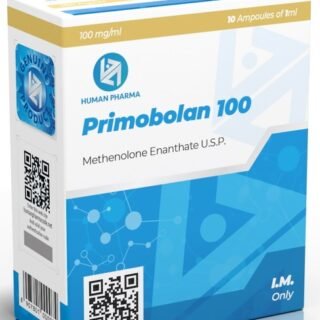
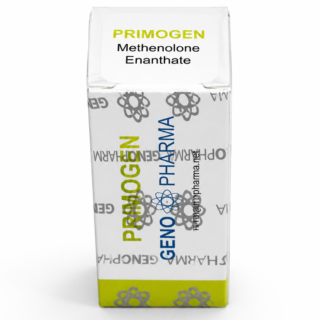
 Methenolone Enanthate 100mg 10 ml Geno Pharma
Original price was: $130.00.$115.00Current price is: $115.00.
Methenolone Enanthate 100mg 10 ml Geno Pharma
Original price was: $130.00.$115.00Current price is: $115.00. -
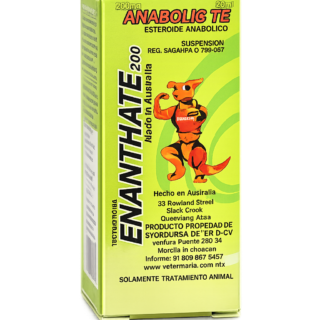
Test Enanthate 200mg 20 ml Sydgroup
Original price was: $110.00.$53.00Current price is: $53.00.
-
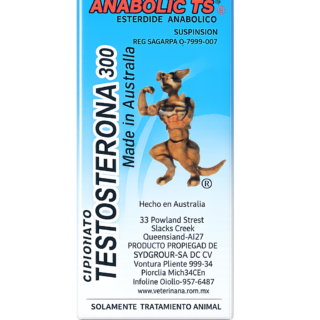
Testosterone Cypionate 300mg 20ml Sydgroup
Original price was: $99.00.$53.00Current price is: $53.00.
-
Somatrox XT Labs 150 IU x 10 vials (15 ui each)
Original price was: $450.00.$350.00Current price is: $350.00.
-
Boldenone Cypionate 200 mg / 10 mL Geno Pharma
Original price was: $90.00.$85.00Current price is: $85.00.
-
Steroid Deca Geno Pharma 300mg 10ml
Original price was: $110.00.$99.00Current price is: $99.00.
-
Eq 300 steroid Rotterdam 10ml
Original price was: $79.00.$69.00Current price is: $69.00.
-
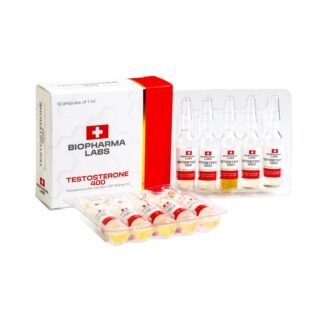
Testosterone 400 Biopharma 10 Ampoules
Original price was: $99.00.$75.00Current price is: $75.00.
-
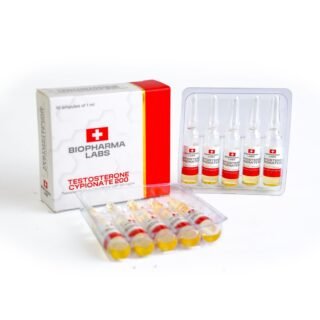
Testosterone Cypionate 200 Biopharma 10 amp
Original price was: $99.00.$72.00Current price is: $72.00.
-
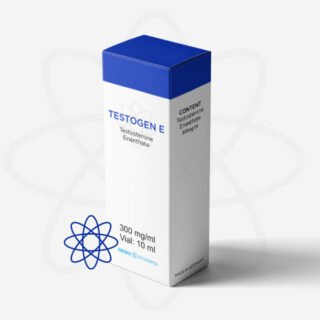
Buy Testosterone E 300mg 10 ml Geno Pharma Domestic USA/CA
$99.00
-
Testosterone Cypionate Buy 300mg 10ml Geno Pharma
$99.00
-
Buy Anavar 10mg – Purchase Geno Pharma
$99.00
-
Anavar for Sale in USA – 10mg 80 Tabs GPH-Premium
Original price was: $110.00.$80.00Current price is: $80.00.
-
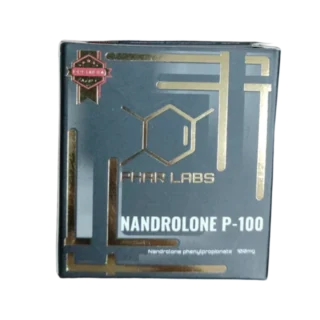
NPP Steroid 100mg 10 ml Premium Domestic USA
Original price was: $99.00.$80.00Current price is: $80.00.






Buy injectable steroids online with credit card
Buy Injectable Steroids Online with Credit Card – Easy and Secure Payment Options
At SteroidsOnlineUSA.com, we offer flexible ways to buy injectable steroids online with a credit card, ensuring a secure and straightforward process. With trusted platforms like Coinbase, Wise, Remitly, and Felix Pago, you can easily use your credit card to complete your purchases.
How to Use Your Credit Card for Payments
Felix Pago – The Simplest Option via WhatsApp
- Message us directly on WhatsApp.
- Use Felix Pago to send your payment.
- Felix Pago allows you to fund the transaction directly with your credit card, making it incredibly easy and fast.
Purchase Bitcoin with Your Credit Card via Coinbase
- Create a Coinbase account.
- Link your credit card to buy Bitcoin.
- Transfer the purchased Bitcoin to the wallet address provided during checkout.
Pay with Wise or Remitly Using Your Credit Card
Sign up on either Wise or Remitly.
Connect your Visa or Mastercard.
Send the payment to our account effortlessly.
 Steroids for Sale Pay with Credit Card
 Steroids for Sale Pay with Credit Card
If you’re looking for steroids for sale pay with credit card, SteroidsOnlineUSA.com offers a secure and convenient way to complete your order using trusted payment platforms like Remitly, which allows customers to send payments quickly and discreetly while maintaining full privacy throughout the process.
One of the most straightforward ways to pay with a card is through Remitly, a reliable service that supports fast international transfers and provides tracking and confirmation for every transaction.
Remitly lets buyers use standard payment methods efficiently, ensuring a smooth checkout experience with confidentiality and support.
How to Buy Steroids with Credit Card Using Remitly
 How to Buy Steroids with Credit Card Using Remitly
Here’s a step-by-step guide to completing your order securely using your card via Remitly:
Step-by-Step Instructions:
Open the Remitly app and tap the “Send” button.
When asked “Who are you sending to?”, select “New Contact”.
Choose Mexico as the destination country.
Enter the amount in USD you wish to send. The app will automatically show the equivalent in Mexican pesos.
Under “Delivery Method”, select the option “Bank Deposit”.
You’ll be prompted with “How would you like the money delivered?” — here, select the bank account we will provide to receive the funds.
Then, under “Payment method required”, go to “Select Payment Method” and choose:
Debit Card Credit Card Apple Pay Bank Account
(Select your preferred card method at this point.)Tap Continue, confirm the transaction, and you’re done.
 Once payment is confirmed and processed:
We provide tracking via United States Postal Service (USPS).
Average shipping time is 5 to 7 business days within the U.S..
Tracking number is provided the same day the order ships.
Orders typically arrive 2–3 days after being handed to USPS.
Why Choose This Payment Method?
 Why Choose This Payment Method?
- Secure and encrypted card handling via Remitly
- No need for direct bank wires or crypto if using your standard card
- Simple, intuitive process through a trusted payment platform
- Discreet transaction – nothing steroid-related appears on your statement
 Secure and encrypted card handling via Remitly
Buy Steroids with Debit Card – Fast & Secure Ordering via Bank Transfer & Remitly
If you’re looking to buy steroids with a debit card online, SteroidsOnlineUSA.com offers a secure and convenient solution through Remitly, allowing U.S. customers to complete their purchases with ease. Whether you’re ordering Anavar, Dianabol, or other top compounds, our payment process is simple, discreet, and trusted by athletes nationwide.
Why Buy Steroids Using a Debit Card?
Choosing to buy steroids online using your debit card comes with multiple advantages:
- Direct payments from your bank account without complications
- Trusted transaction channels with verified confirmation
- Faster order processing once your payment is confirmed
- No need for additional platforms or third-party wallets
 Direct payments from your bank account without complications
 Trusted transaction channels with verified confirmation
 Faster order processing once your payment is confirmed
 No need for additional platforms or third-party wallets
Remitly allows us to receive debit card payments and bank transfers efficiently—no delays, no stress.
How to Buy Steroids with Debit Card in Remitly
Buying steroids with a debit card is fast and simple using Remitly, a secure and trusted payment platform for U.S. customers. Here’s a step-by-step guide to help you complete your purchase smoothly using your debit card through Remitly:
Step-by-Step Instructions for Sending Payment via Remitly
Open the Remitly App
Launch the Remitly app on your phone or access the web version.Tap “Send”
Press the “Send” button to start a new transaction.Select the Recipient
When asked “Who are you sending to?”, choose “New Contact”.Choose Destination Country
Select Mexico as the destination country where the funds will be received.Enter the Amount
Input the amount in USD that you wish to send. Remitly will automatically calculate the equivalent in Mexican Pesos (MXN).Choose Delivery Method
Under “How would you like the money delivered?”, select the bank deposit option. You’ll be provided with the exact banking details from our side to complete this step.Select Payment Method
Under “Payment method required”, click “Select payment method” and choose Debit Card.Review the Details
You’ll see the total amount, conversion rate, and fees (if any). Once everything looks correct, tap “Continue”.Confirm & Send
Proceed with the final steps to send the payment. You’ll receive confirmation instantly once it’s sent.
Once we confirm your payment has been received, your order will be processed and shipped.
Seamless Transactions via Remitly
All payments on SteroidsOnlineUSA.com using debit cards or bank transfers are processed through Remitly:
| Payment Channel | Accepted Methods |
|---|---|
| Remitly |  Debit card Bank transfer Debit card Bank transfer |
| Other Options | Félix Pago Western Union |
 Simple, direct, and always confirmed with proof of payment.
Shipping, Tracking & Delivery Details
Once your payment is confirmed, here’s what to expect:
| Feature | Details |
|---|---|
| Shipping Time | 5–7 business days (within the U.S. only) |
| Tracking Number | Sent via email after the 7th day post-shipping |
| Tracking Method | Trackable via United States Postal Service (USPS) |
| Discreet Packaging | No steroid-related markings on the parcel |
| Refund/Reship Policy | Available in cases of lost or damaged packages (terms apply) |
Summary: Why This Works
- Safe & verifiable debit card purchases through Remitly
- No need to mention or use credit cards
- Fast U.S. delivery with USPS tracking
- Total discretion, clear policies, and customer-focused service
Why Choose SteroidsOnlineUSA.com?
- Multiple Payment Methods: From Felix Pago on WhatsApp to Coinbase, Wise, and Remitly, we provide you with flexible options to use your credit card.
- Secure Transactions: All platforms used are trusted and secure, ensuring your credit card information remains protected.
- Simple and Convenient: With Felix Pago, you only need WhatsApp to complete your payment in minutes.
- Discreet Shipping: Your order will be delivered promptly and securely to your doorstep.
Advantages of Using a Credit Card for Your Purchase
- Convenience: Credit card payments are fast and hassle-free.
- Flexibility: With platforms like Felix Pago and Coinbase, you can choose the method that suits you best.
- Trusted Process: All payment methods are well-established and secure.
WHAT IS BITCOIN?
HOW AND WHERE CAN I GET BITCOINS?
How do I send bitcoin to Steroidsonlineusa.com ?
How to Send Bitcoins with BitPay – No Wallet Needed, No Need to Download an App, Just Visit Their Website on Desktop. Click here to buy them now, Steroids for sale pay with Credit Card

To purchase Bitcoin via BitPay using a credit card, debit card, or other payment methods like Apple Pay or Google Pay, you can follow these steps:
- Visit the BitPay website or open the BitPay app on iOS or Android.
- Select the “Buy” option: Choose the cryptocurrency you wish to purchase, such as Bitcoin, Ethereum, or others.
- Enter the amount you want to buy and provide your wallet address. If you don’t have a wallet, BitPay offers a non-custodial wallet to store your crypto.
- Choose your payment method: You can pay with a credit card, debit card, or through other services like Apple Pay or Google Pay.
- View offers: BitPay aggregates offers from multiple partners (like Simplex, MoonPay, etc.), allowing you to choose the best rate for your transaction.
- Complete the purchase: After selecting your preferred offer, finalize the payment. Your purchased cryptocurrency will be sent to your provided wallet address.
This process is quick, and you can store, swap, or spend your crypto directly from the BitPay app. If needed, you can also reach out to the partner’s support team for any transaction-related issues.
For more details, you can explore BitPay’s official page
VERY IMPORTANT: Send us a screenshot of the payment
HOW TO SEND BITCOIN WITH COINBASE

Step 2# buy the bitcoins at the app
Step 3#Send Bitcoin From Coinbase To Another Wallet
Send the payment to our wallet and send us the screenshot from the payment
Bitcoin
Make payment with CREDIT CARD AT Paybis.com PAY WITH CREDIT CARD VIA PAYBIS – GUIDE
injectable steroids
purchase anabolic steroids
selling anabolic steroids
buy anabolic steroids
injectable steroid
How to Buy Bitcoin with CashApp Step By Step Buy Steroids with Cash app

Buying Bitcoin on Cash App is easy. All you need to do is make sure that you have a device for the Cash App and then you’re ready to buy Bitcoin. Here is what you have to do:
1.Go to Google Play or the Apple App Store and search for Cash App. Download it once you find it.
2.Then, enter your email address or your phone number to sign up.
3.Add a debit card or your bank account to your Cash App account.
4.Enter your first and last name.
5.Select a Cashtag. This is your username, which is going to be unique, and you need it in order to be able to receive funds. Besides, you can also get a referral code here. The referral code can be given to a friend or family member, so you can receive a bonus when they sign up using it.
6.Enter your address details.
7.You must add funds to your Cash App account, or else you will not be able to purchase Bitcoin. So, go to the home screen and choose Add Cash, after which you can select how much you want to add. Then, you need to confirm your name, social security number, birth date, and home address. You are ready to add funds to your balance once you load all these details.
8.Go to the home screen and choose the suitable Bitcoin option from under Deposits & Transfers. Afterward, select the “Enable Withdrawals and Deposits” option. Cash App will now ask for some extra information. This includes your email address, as well as your reasons for purchasing bitcoin. It will also ask you some questions about the income you earn and your employment. Next, you’ll have to scan both sides of a state ID or your driver’s license in order to verify your identity. In the end, you should take a photo of your face. Make sure you’re in a well-lit area and take a clear picture. All you have to do afterward is wait. It can take up to 48 hours to process the I.D. for verification. Until this is done, you will see a “verification in progress” message.
9.Once the verification is finished, go to the “Investing” section. This will allow you to choose stocks or Bitcoin. Obviously, choose Bitcoin, after which a price chart of the recent performance will pop up. A BUY button will be there as well.
10. Tap on “Buy” and you will be able to pay the amount for the bitcoins at once, or you can set up recurring purchases. After selecting an amount, you should tap “Next” and then “Confirm”.
11. When you reach the confirmation screen, there will be an order overview. Look over it and tap confirm if everything is okay.
12. Select “Done” when it’s processed. Now you can go to the Home tab and see your Bitcoin amount. In order to deposit or withdraw Bitcoin, you will have a user’s wallet address displayed. You can withdraw the money to a personal wallet or directly to the address provided by us, and you don’t have to trust a third party with your Bitcoin. This will make sure you are the one in control of your Bitcoin.
Are There Fees for Buying Bitcoin on Cash App?
You should be aware that a fee will be charged when buying or selling Bitcoin on Cash App. This fee will appear on the confirmation of the trade before you’re done with the transaction. This way, if you don’t agree with the fee, you can simply choose to not proceed. During transactions with Bitcoin, Cash App will charge two types of fees: one of them is the service fee, and the other one is an additional fee based on the price volatility across exchanges in the U.S.
<div2< p=””> </div2<>